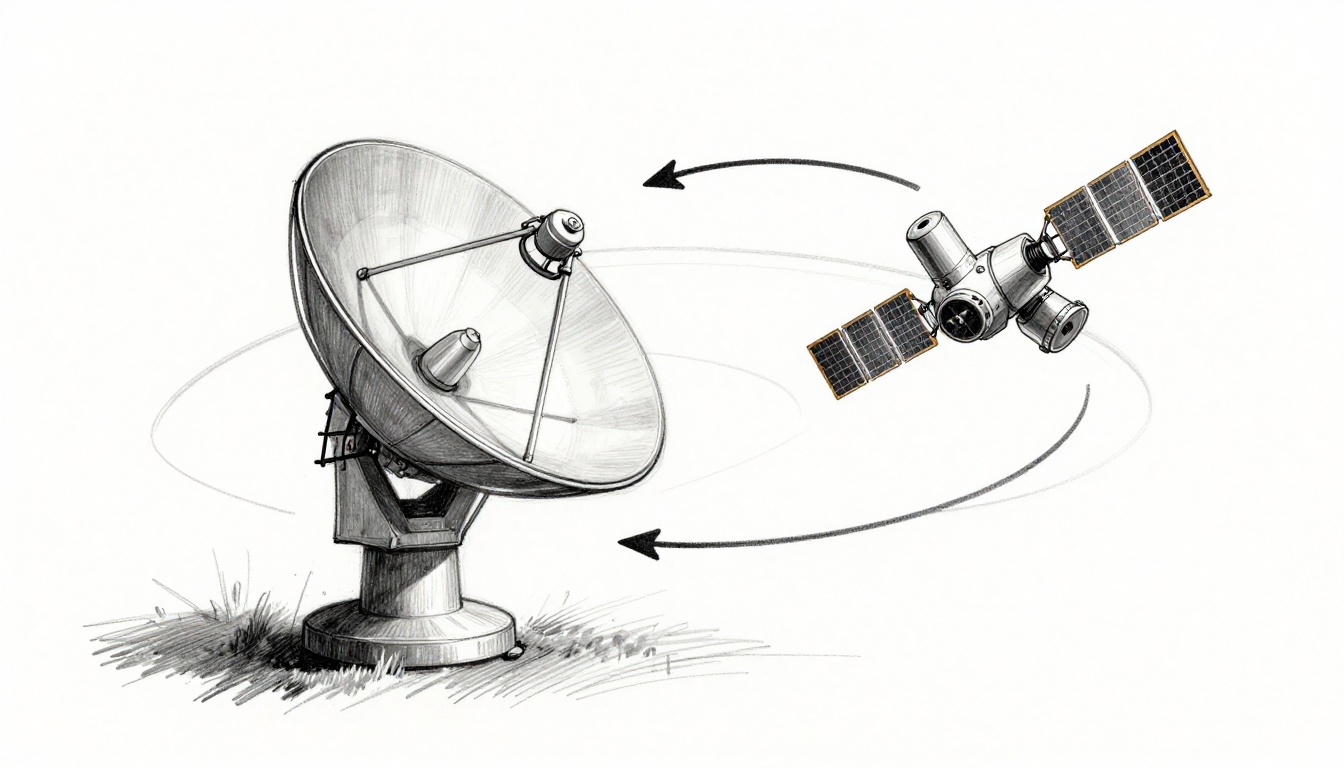
When you watch satellite TV or use GPS on your phone, you’re counting on how satellites communicate with Earth without giving it much thought. Still, the whole process comes down to one simple idea: satellites send and receive radio waves. Once you know the path the signal takes, it all starts to make sense.
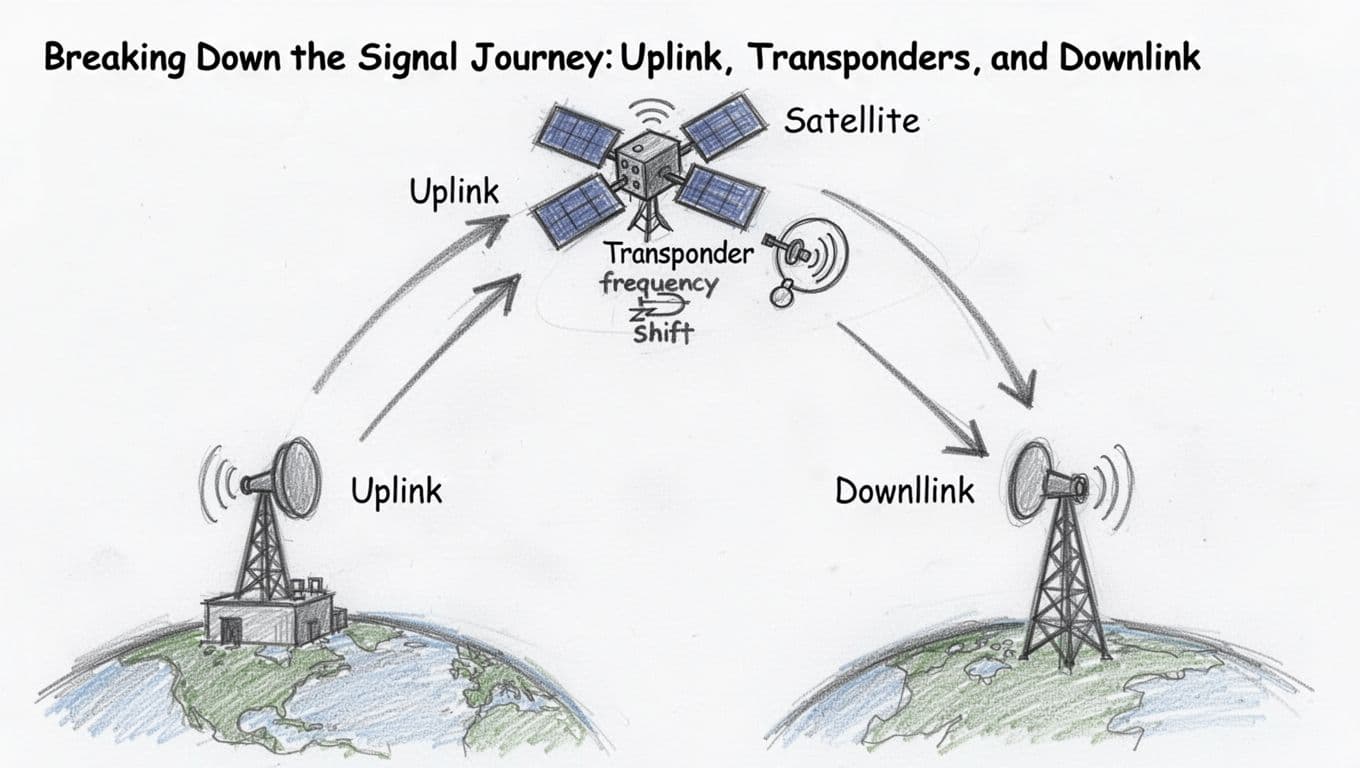
First, your device connects to an Earth station (a ground antenna). That station sends an uplink signal toward space, usually at higher power so it can reach the satellite clearly. Next, the satellite’s transponder picks up your signal, boosts it, and shifts its frequency so the uplink and downlink don’t interfere.
Then the satellite beams the updated signal back to Earth on a downlink. For services like TV, GPS, and internet, the exact bands matter, such as Ku-band for TV and Ka-band for broadband. Of course, rain, distance, and spectrum rules can add challenges, but the same core steps keep working.
Now that you know the main pieces, the next section will walk through uplink, transponders, and downlink in plain, practical terms.
Breaking Down the Signal Journey: Uplink, Transponders, and Downlink
Think of a satellite link like a phone call relay. Your voice goes from your house to a tower, the tower repeats it to a far place, then the far end delivers it to the right listener. In space, the “tower” is a mix of uplink, transponders, and downlink.
Uplink: Launching Signals from Earth to Orbit
The uplink starts at an Earth ground station, often a big dish with carefully aimed antennas. First, the station encodes data into a radio signal. Next, it sends that signal upward using high power, because the satellite is far away.
At these long distances, signal strength drops quickly. That is why uplinks use high-gain antennas and strong amplification. In addition, satellite systems often pick high frequencies to keep the signal cleaner and reduce interference. Higher bands can also help carry more data.
Then comes the beam itself. Your ground station points precisely, so the satellite can “hear” the transmission. During rain or bad weather, you may get extra fading, but the core uplink job stays the same: get your message into space with enough power to be useful.
If you want a quick refresher on what uplink means in satellite systems, see uplink and downlink basics.
Transponders: The Heart of Satellite Signal Magic
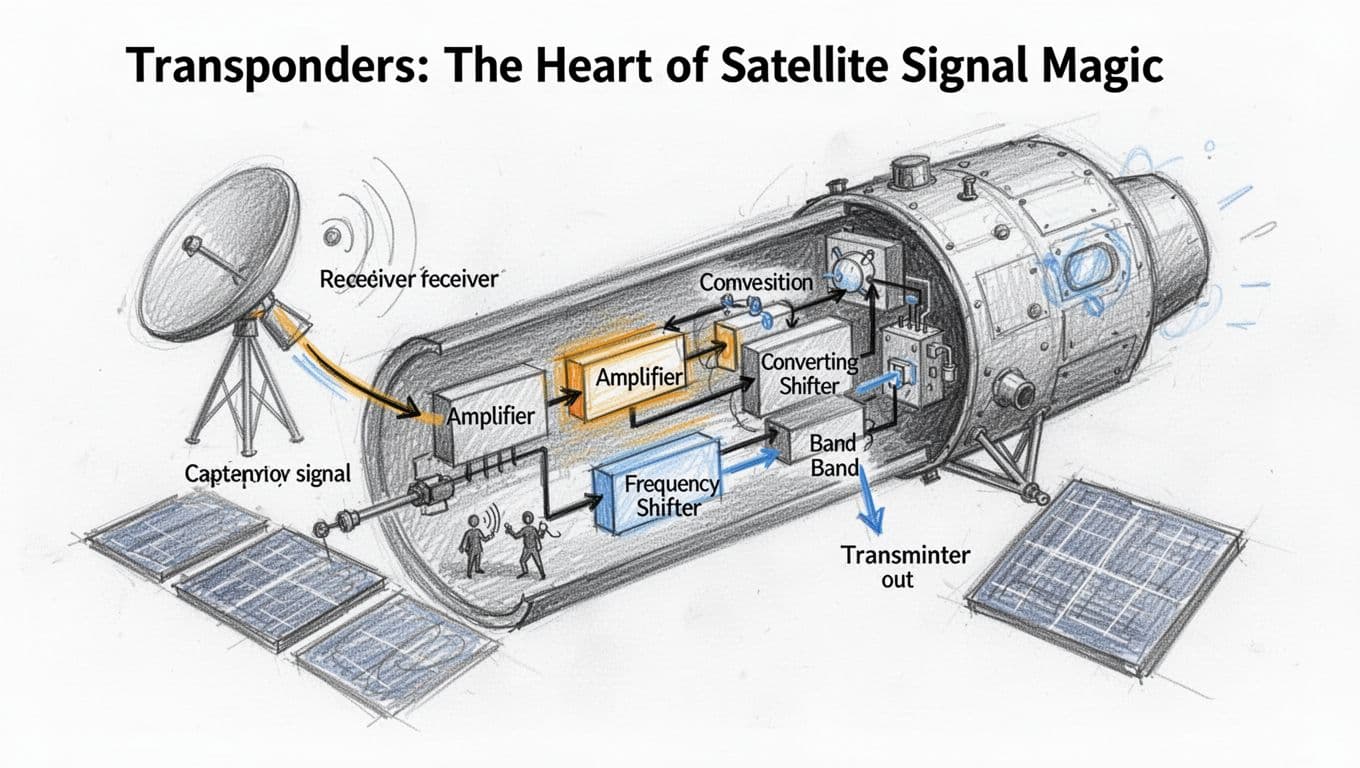
Inside the satellite, the transponder does the real relay work. Picture it like a receiver-transmitter combo in one package. It listens for your weak uplink, then it boosts that signal so it is strong enough to travel onward.
After that, it shifts the frequency. This step matters, because the satellite needs to separate what it receives from what it sends. As a common pattern, systems may use a higher-band uplink (like C-band) and send back using a different downlink band (like Ku-band). That separation helps avoid self-interference and keeps many services working at once.
Most satellites carry multiple transponders, each handling different channels or services. Some support TV, some support broadband, and others support backhaul for networks. In other words, transponders let one satellite act like a multi-room communication building.
Downlink: Receiving Crystal-Clear Signals Back Home
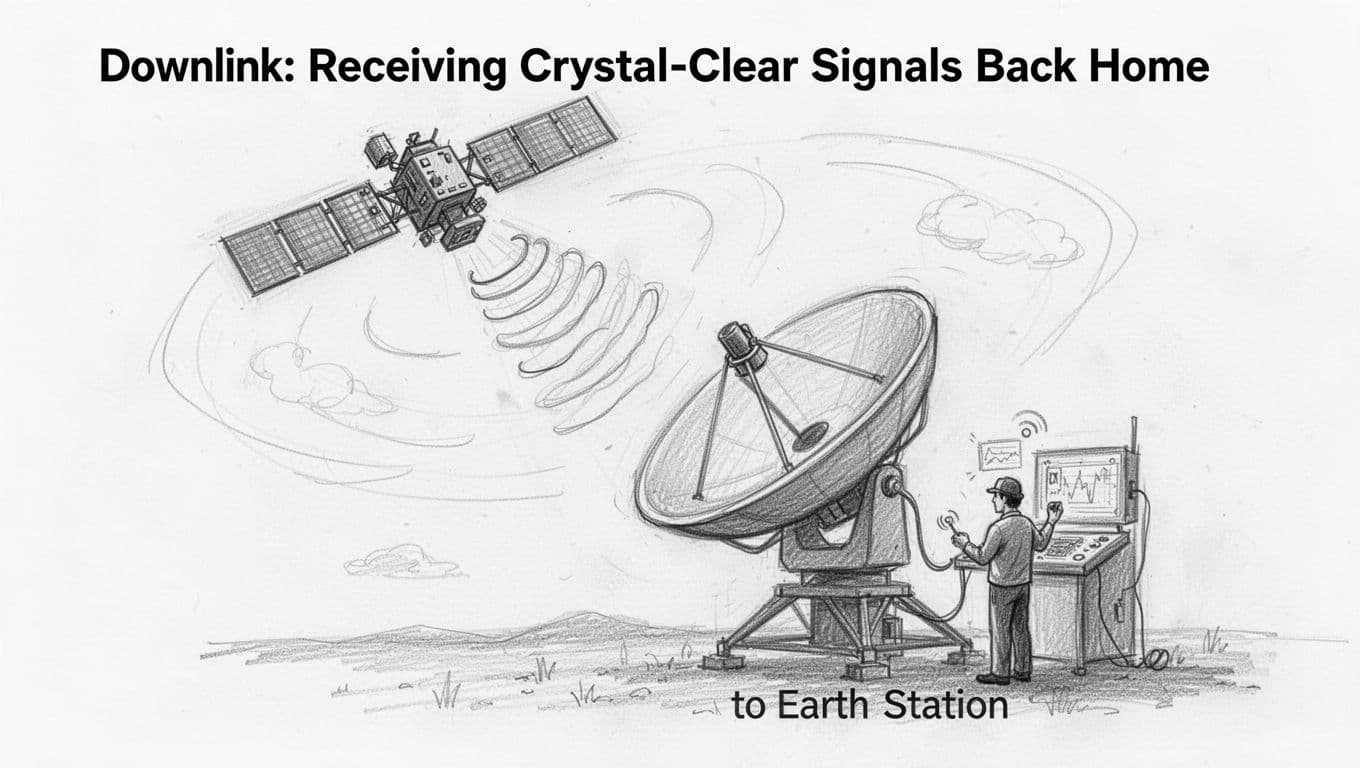
The downlink is the return trip. Now the satellite transmits toward Earth, using its own high-gain antennas to aim at specific receiving stations. Those ground antennas capture the downlink and feed it into equipment that decodes the data.
From there, the signal routes to the end user. A TV service sends it to broadcast networks, an internet service passes it into gateways, and a navigation system turns it into timing information.
Notice the direction change: in the uplink you send toward the satellite, and in the downlink the satellite sends back to Earth. The relay stays the same though, because the transponder keeps translating your message from one leg to the next.
The Gear That Makes It All Possible: Antennas, Ground Stations, and Power
A satellite link works only when three things line up: the antenna beams the signal where it needs to go, the ground system coordinates timing and tracking, and power keeps every radio and computer running. Think of it like home Wi-Fi. Your router does the transmit, your phone does the receive, and the whole setup dies fast if power drops.
In space, nothing plugs in. So the hardware has to be built to work for years, and it has to stay aligned even as the satellite moves overhead.
Antennas: Focusing Beams Across Vast Distances
Antennas act like flashlights in a dark room, except the beam has to travel thousands of miles. A small error can turn a strong signal into static. That’s why ground stations use high-gain antennas and tight pointing control.
Parabolic dish antennas: one beam, strong focus
A parabolic (dish) antenna uses a curved reflector to focus radio energy into a narrow beam. In plain terms, the dish works like a magnifying mirror, sending energy out in a tight direction. Because of that focus, parabolic dishes often excel when you need strong links at higher frequencies.
However, the dish still has to aim. Most systems use motors or fine-steering controls to track the moving satellite. As the satellite travels across the sky, the station keeps updating the dish angle to stay locked.
You’ll often see this approach in big ground stations, especially where you want high power and stable performance.
Phased arrays: a flat panel that steers electronically
A phased array looks more like a flat panel. Inside, many small antenna elements work together. Then the system changes the phase of each element, so the beam “points” without moving the antenna.
That matters for fast-moving LEO satellites. With phased arrays, the station can switch beams quickly, sometimes tracking multiple targets at once. For a practical comparison of the two styles, see phased array vs traditional antennas.
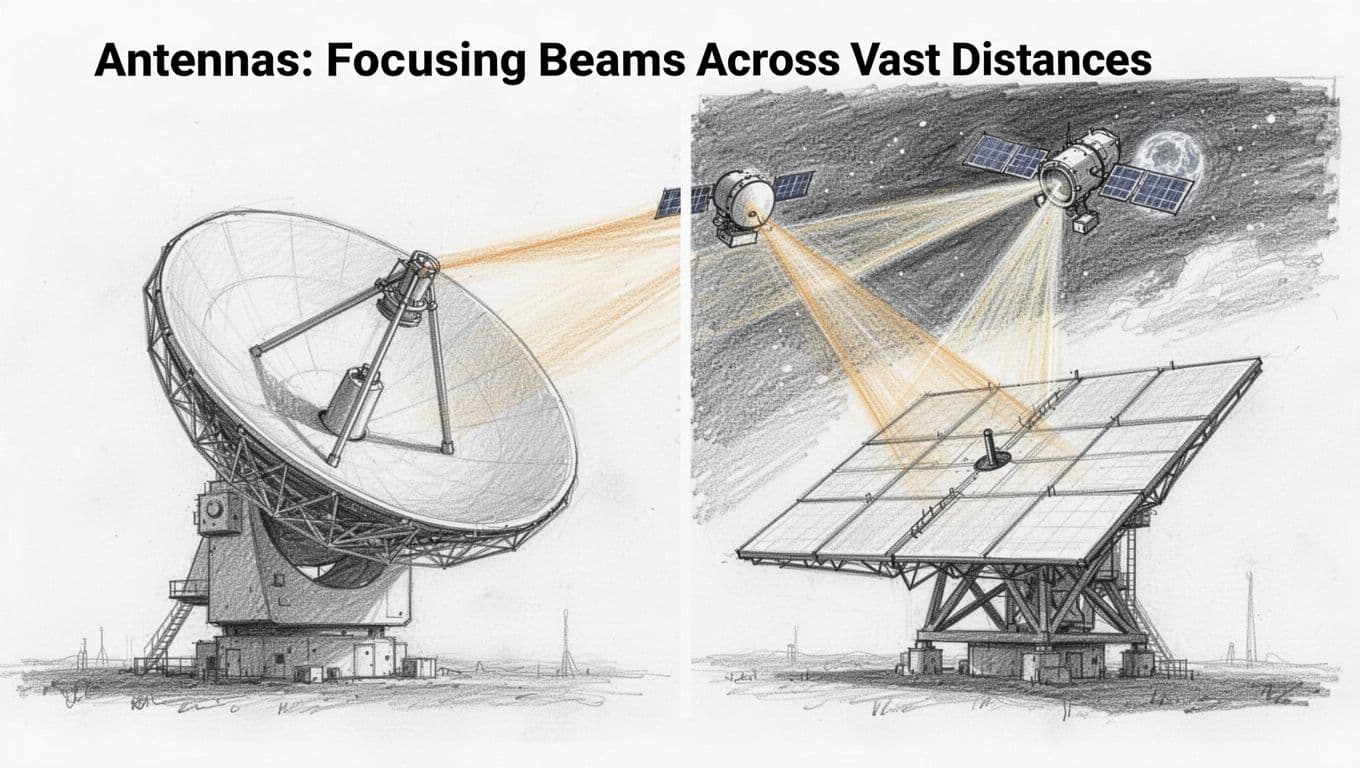
Bottom line: parabolic dishes give you focused power, and phased arrays add fast steering. Together, they help keep the link dependable as satellites shift position.
Also, reliability depends on power handling. The antenna system feeds high-power transmitters and sensitive receivers, so the signal chain has to stay stable under load.
Ground Stations: Earth’s Command Centers for Satellites
Ground stations are where satellite communications become real operations, not just radio waves. They coordinate tracking, send commands, and move the received data into networks that people actually use.
Why locations matter
A satellite only passes over certain parts of Earth at certain times. So providers place ground stations in strategic regions around the globe. When one site loses line-of-sight, another site can take over.
That global spread improves reliability. It reduces long gaps and helps maintain a steady schedule for uplink and downlink. For example, KSAT describes its worldwide coverage with many antennas across multiple locations in its global ground station network.
What the station actually does
At a high level, ground stations run a tight loop:
- Track the satellite’s orbit and predict where it will be.
- Point antennas and adjust transmit settings in real time.
- Process baseband signals so data can be decoded cleanly.
- Route data to control teams, network partners, or customers.
- Send commands on schedule for control and configuration.
In other words, the ground station is like air traffic control plus a data hub. Without it, uplink and downlink are just waves drifting in space.
Power: the quiet requirement that never stops
Ground stations also need dependable power, because radios, computers, cooling, and timing systems run continuously. Still, the bigger power story sits in space.
Satellites rely on solar panels and batteries to power radios, transponders, and onboard computers between energy cycles. NASA’s overview of small spacecraft power systems explains how satellites generate energy and store it for ongoing operations. You can read more about their power subsystems.
Bottom line: antennas focus the beam, ground stations coordinate the link, and onboard power keeps the satellite talking. When those three parts hold up together, communication stays stable even when conditions get tough.
Frequencies and Orbits: Tailoring Communication for Speed and Coverage
A satellite link is not one-size-fits-all. When you pick the right frequency band and the right orbit, you trade off speed, range, and reliability. Think of it like choosing tires for a road trip. Fast highways feel great, but rain and road grip still matter.
At the same time, the market keeps pushing new combinations. In March 2026, mega-LEO networks like Starlink and its growing rivals are expanding coverage fast, so bandwidth and weather behavior become part of everyday planning, not just engineering.
Radio Bands: Choosing the Right Waves for the Job
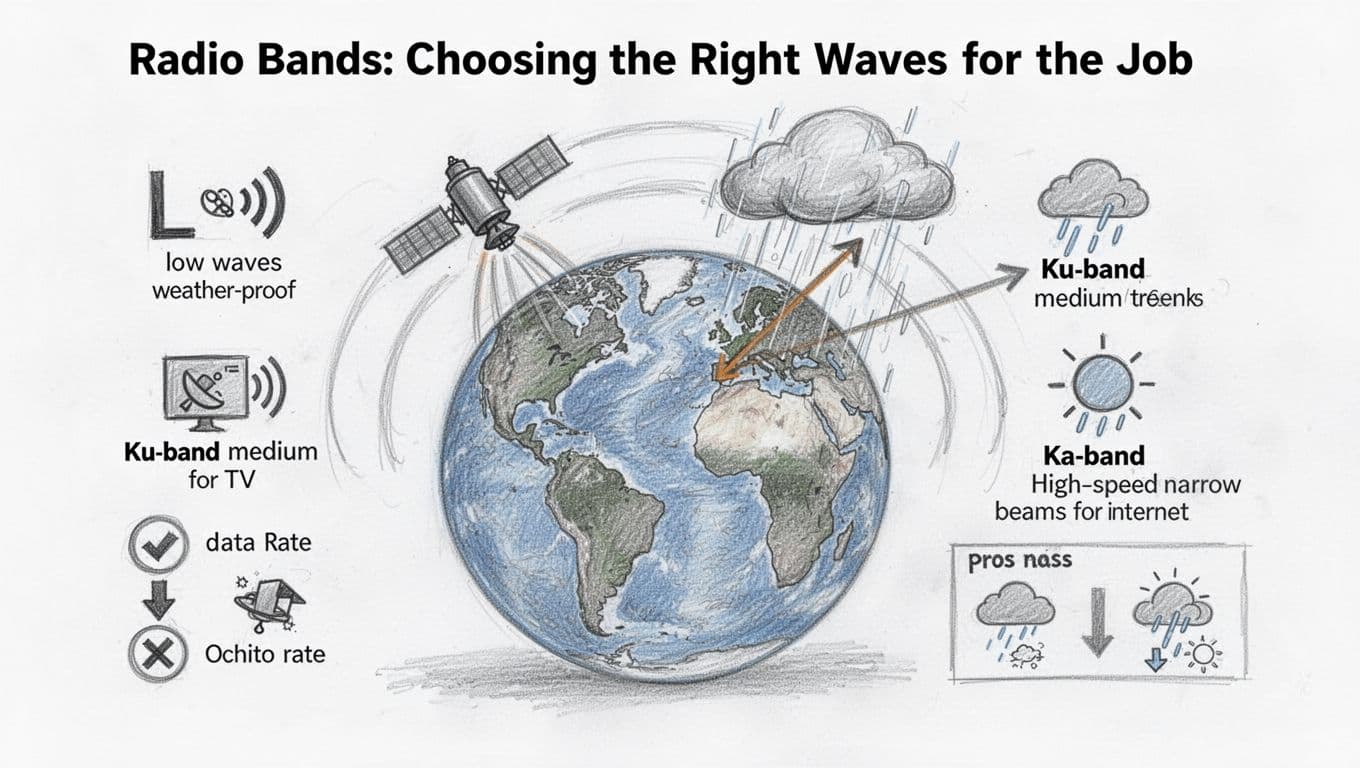
Frequency bands describe the “lane” your signal drives on in the radio spectrum. Higher frequencies can carry more data, but they also tend to lose more power in bad weather. Lower frequencies often push farther through rain, but they give you less raw speed.
Here’s a practical way to compare the bands people talk about most:
L-band: More weather-friendly, but lower data rates
L-band sits at the lower end of many satellite communication plans. As a result, it often stays more stable in rain and storms. That’s one reason you’ll see it in mobile and tracking uses.
The tradeoff is capacity. L-band links usually support smaller data pipes compared with Ku or Ka. So if your goal is a few messages, voice, or low-to-mid rate data, L-band can fit well.
Ku-band: A common middle ground for TV and many services
Ku-band gained popularity because it balances performance and equipment cost. It’s also widely used for satellite TV and other content delivery services.
However, Ku-band still suffers in heavy rainfall. When raindrops thicken, signal strength can drop, which causes outages or slowdowns. Still, operators plan around it with link margins, better coding, and larger antennas where needed.
Ka-band: Higher speeds, but rain needs respect
Ka-band often supports higher throughput. That’s why it’s a frequent choice for satellite internet systems and high-rate data links.
At the same time, Ka-band is more sensitive to atmospheric conditions. Rain and clouds can increase propagation loss, which reduces power at the receiver. NASA has published material on Ka-band link behavior and network needs, including how higher bands tie to higher rates and system design work (see NASA on Ka-band network capabilities).
The bottom line: Ka-band feels faster until weather shows up. Operators then size antennas, plan coding, and pick margins accordingly.
Pros and cons at a glance
If you like quick comparisons, use this mental table:
| Band | Typical use | Speed potential | Weather impact | Best-fit scenario |
|---|---|---|---|---|
| L-band | Tracking, some mobile links | Lower | Lower | Reliable messaging in storms |
| Ku-band | TV, many broadcast services | Medium | Medium | Wide adoption, solid performance |
| Ka-band | Satellite internet, higher-rate links | Higher | Higher | Bandwidth-first services |
How operators avoid interference (frequency assignments matter)
Even if you pick the “right” band, you must avoid stepping on other systems. That’s where frequency assignments and international rules come in. Satellite systems coordinate so signals do not jam each other across borders and networks.
The ITU publishes the regulatory foundation for this, including satellite system regulation and radio interference handling (see ITU on satellite system regulation). In plain terms, regulators assign usable frequency ranges, set protection rules, and define how services share spectrum.
In the field, engineers also use practical tactics. They may use narrow beams, careful power control, and strict frequency plans for uplink and downlink. That keeps the link clean, even when many satellites and ground stations operate at once.
Orbit Types: From High Hover to Low Zips
Orbit type shapes the rest of the story. It decides how often a satellite appears over you, how long signals take to travel, and whether your antennas need to chase the satellite across the sky.
In short, orbit is about coverage patterns and latency. Frequency is about data capacity and signal loss. Put them together, and you get a full communication design.
GEO: Fixed in the sky, long delay by design
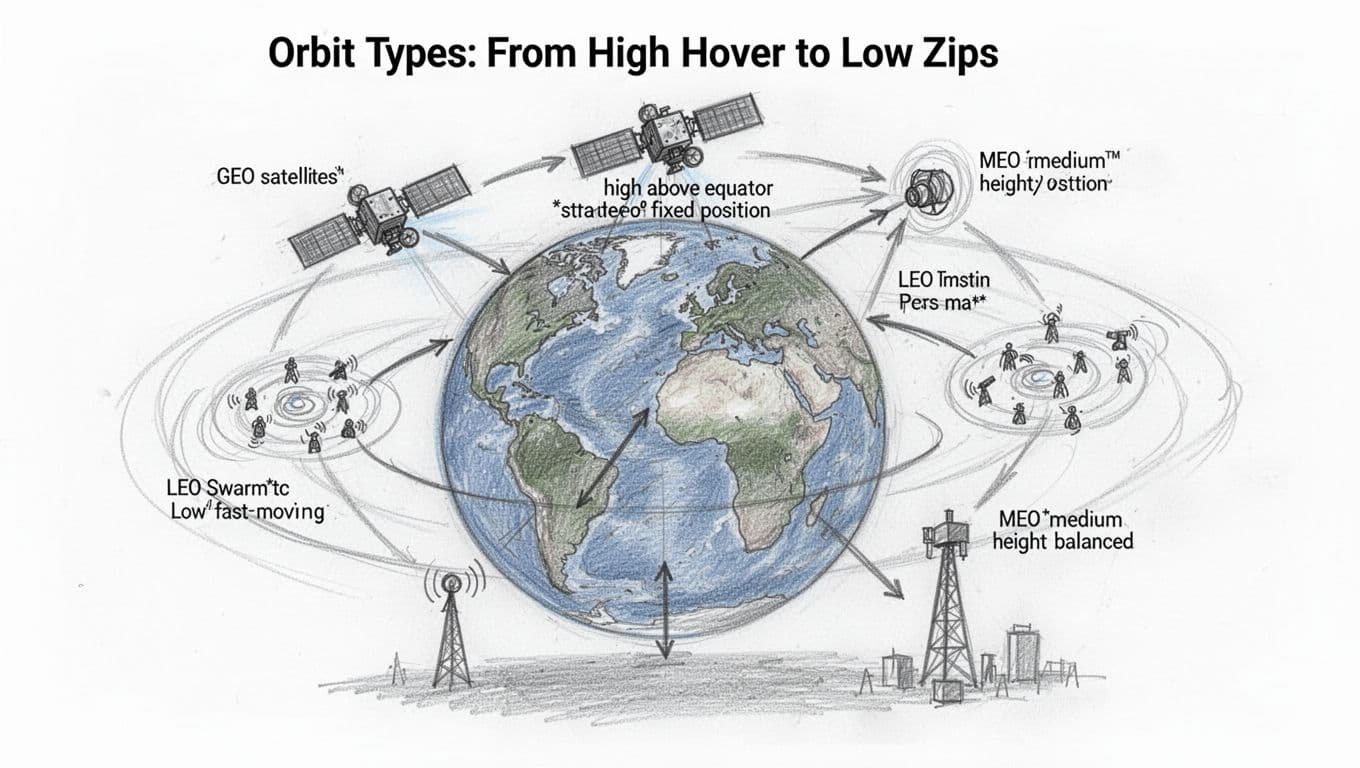
In geostationary orbit (GEO), a satellite stays over the same point on Earth. It sits at about 22,000 miles up, so it circles the planet once every day.
That stability makes GEO friendly for services like TV. Your dish can stay in the same general direction. As a result, pointing stays simple, and the service can feel steady.
The big downside is delay. Because the satellite sits far away, signals take time to reach it and come back. The round-trip delay often lands around half a second, even in good conditions. Voice, gaming, and interactive apps notice this more than video.
LEO: Short paths, fast passes, and constellations everywhere
Low Earth orbit (LEO) places satellites much closer to the ground. That means shorter travel time and lower latency. In addition, LEO satellites move quickly, so each one passes over your area for a limited time.
That sounds bad at first. However, providers solve it with constellations. Instead of one satellite, they use many satellites so one passes as another fades out. In March 2026, mega-LEO networks are accelerating rollout and capacity growth, with more satellites and more ground infrastructure to match demand.
The result is strong internet performance in many regions, especially remote areas. Real-time reporting also points out capacity planning and spectrum sharing as major focus areas as the number of satellites grows. For a fast pulse on why LEO keeps expanding in this period, see Understanding satellite orbits (LEO vs MEO vs GEO).
MEO: The middle height that tries to balance things
Medium Earth orbit (MEO) sits between GEO and LEO. It aims for a compromise: better latency than GEO, but less aggressive handoffs than LEO.
Coverage often looks wider than LEO for each satellite, but not as “locked-in” as GEO. Because of that, MEO can fit systems that want global reach with fewer satellites than LEO, without paying GEO’s big delay cost.
It’s also common to see operators talk about multi-orbit strategies. They combine orbit strengths to meet different customer needs, like broadband in one region and redundancy in another. If you want an example of how the industry frames these choices, check Bolstering multi-orbit solutions with MEO satellites.
How orbit choice changes the link you experience
Orbit type pushes real requirements onto the ground segment too. LEO systems need frequent tracking updates because satellites move fast. GEO systems need less tracking movement, but they still require powerful uplinks and carefully planned coverage.
Here’s the practical “feel” for users:
- GEO users often see steady service, but higher delay for interactive apps.
- LEO users often see lower delay, but the system depends on constellation scale.
- MEO users often see a middle ground for both delay and coverage.
In the end, satellites do not just “talk.” They match a specific path through space, and that path sets the rules for speed and coverage.
Tackling Tough Hurdles: Latency, Doppler, and Weather Woes
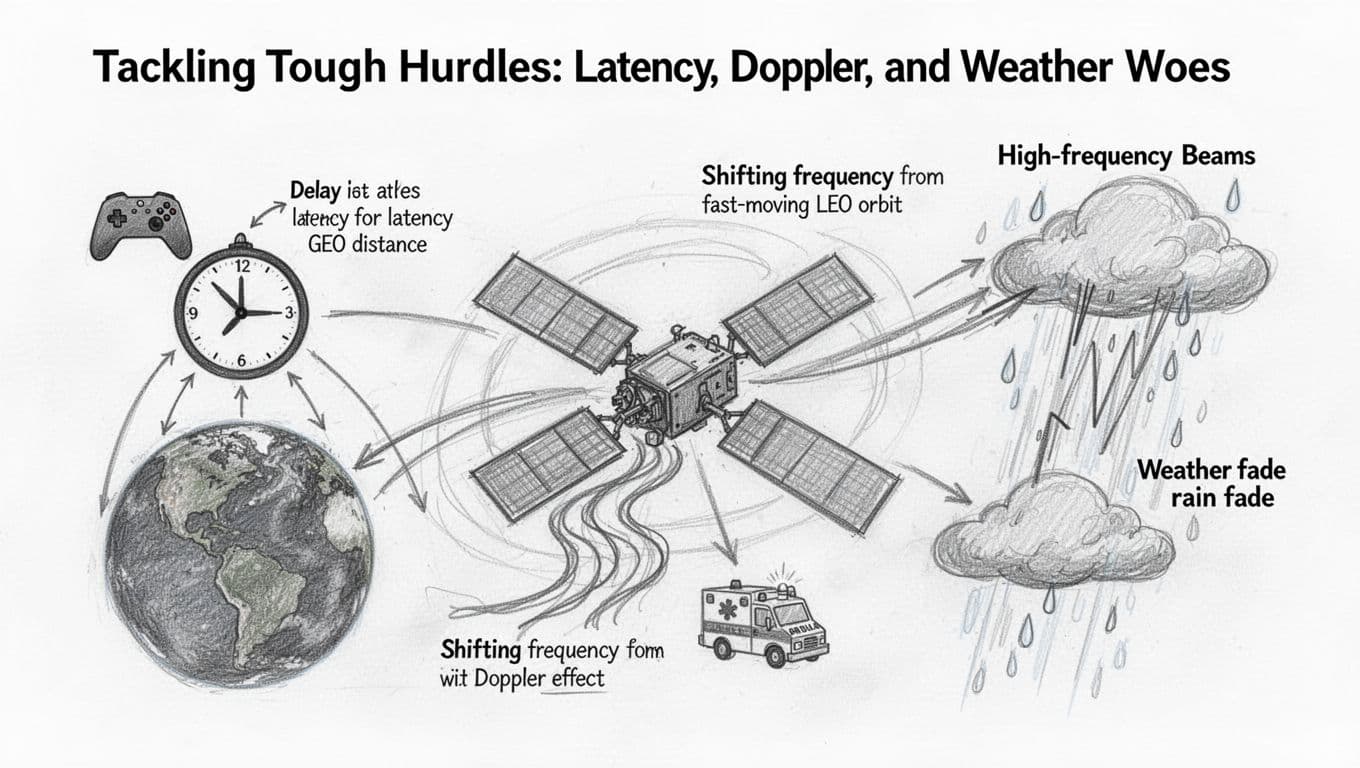
Satellite links face three recurring troublemakers. First, signals take time to travel. Next, fast motion in orbit shifts the signal’s frequency. Finally, rain can weaken higher-frequency links. Together, these issues shape what you experience, from video calls to remote alerts.
Why Signals Take Time to Travel (and How It Affects Us)
Light travels fast, but space still adds delay. In geostationary orbit, a signal has to go up and come back from about 35,786 km. That round trip takes long enough to make real-time back-and-forth feel laggy, especially for voice calls and gaming.
In plain terms, latency acts like a timing gap in a conversation. You ask a question, the network hears it, sends it to the satellite, and returns the reply. Even if the connection is strong, your timing feels off.
In contrast, low Earth orbit cuts the travel distance per hop. As a result, many LEO designs target lower delay than GEO, which helps interactive uses feel more natural. For a technical comparison of how LEO and GEO differ, see LEO vs GEO latency context.
Bottom line: the physics of distance sets a floor for delay, then system design decides how low you can go.
Doppler Effect: Adjusting for Satellite Speed
Doppler shift happens because the satellite moves relative to you. The signal wavefronts get squeezed as it approaches, then stretched as it moves away. Your receiver sees it as a frequency shift, which can confuse demodulation.
Think of it like an ambulance siren. As the vehicle passes, the pitch changes. With satellites, the “pitch” change is fast, so you need constant correction.
Ground tracking and modern receivers handle it by predicting the satellite’s path and adjusting frequency in real time. Many systems combine tight orbit models with live tracking loops so the demodulator stays locked.
Recent work also improves robustness with smarter tracking and modulation choices. For a look at Doppler countermeasures, see Doppler compensation techniques.
Weather Interference: Rain Doesn’t Play Nice with High Frequencies
Rain fade is a real problem, especially at higher bands like Ka and Ku. Drops absorb and scatter radio energy, so the receiver gets less power. You may see a smooth drop in quality, or you may hit a sudden outage when the link margin runs out.
This matters most when your system tries to push high data rates through high frequencies. The fix starts with smart planning: adaptive coding, bigger antennas at the right sites, and enough link margin to survive storms.
Also, operators design backups. Often, they can shift capacity, change coding rates, or even steer traffic to a lower band when weather gets ugly. NASA research on rain fade compensation is a helpful reference point for how this is studied and mitigated, see Rain fade compensation for Ka-band.
Bottom line: weather can hit fast, but adaptive systems can keep you connected more often than you’d expect.
One-Way Broadcasts vs. Two-Way Conversations with Satellites
Satellite links fall into two big styles: one-way broadcasts and two-way conversations. In one-way service, the satellite sends info to you, but you cannot reply through that same path. Two-way service flips the script, so your device can send messages up, and the satellite can send responses back down.
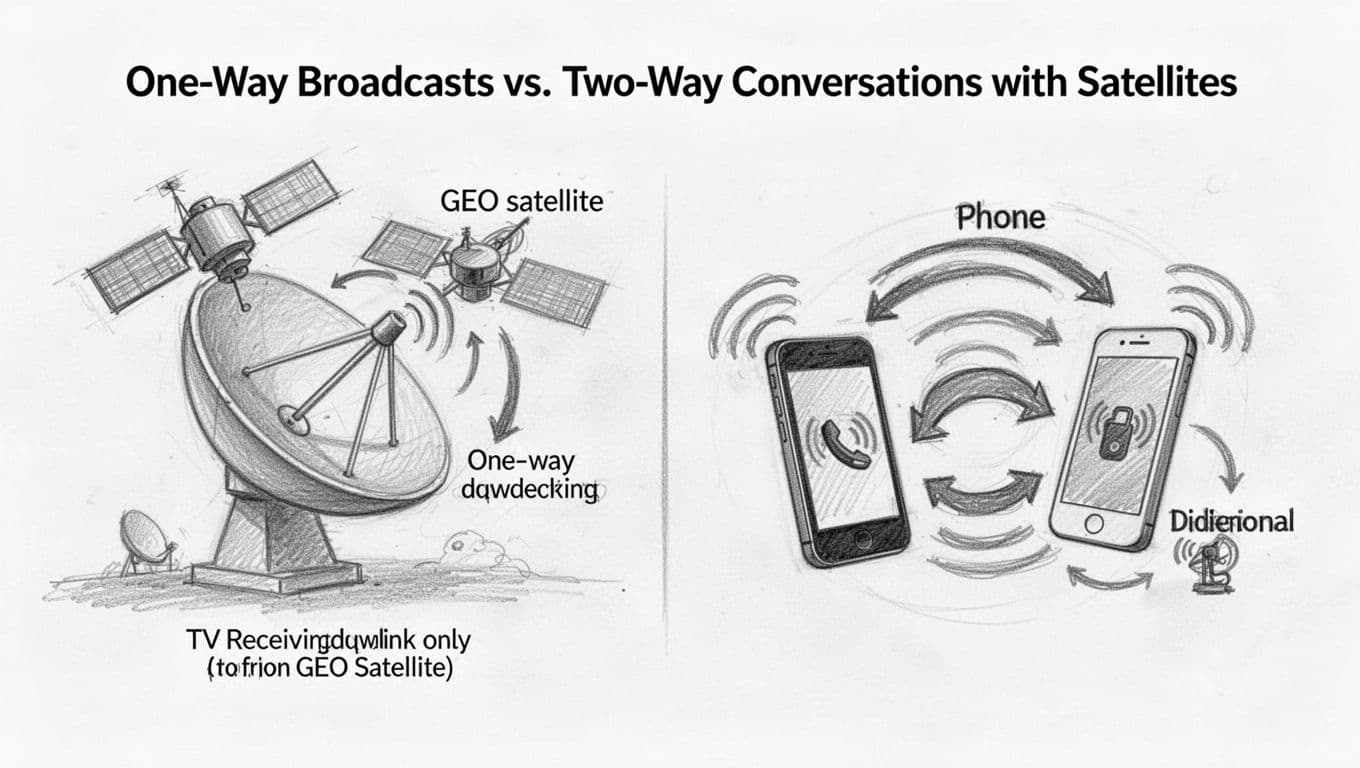
One-way broadcast: TV and GPS-like “listen only” links
One-way broadcast works like a radio station. The satellite transmits down to many receivers at once, and that’s it. Satellite TV and many emergency alert feeds use this model, because they deliver the same content to lots of homes efficiently.
GPS also behaves like a one-way signal in practical terms. Your phone listens for timing and location signals sent from space, but you do not send a GPS “reply” back through the GPS constellation.
Two-way conversations: internet, messaging, and direct-to-device services in 2026
Two-way systems add a return path. You send an uplink to the satellite, and it sends a downlink back to you. That round trip matters for interaction, like web requests, chat, and app-based services.
In March 2026, direct-to-cell services make this feel real for everyday users. For example, T-Mobile’s Starlink-based “T-Satellite” supports texting, MMS, and location sharing when you can see the sky, even away from towers (see T-Satellite app support updates).
TT&C: the two-way backbone that keeps satellites healthy
Two-way links also power TT&C, which stands for telemetry, tracking, and command. Ground controllers send commands to change settings or maneuvers, while the satellite sends back health data, like temperatures and status.
That means satellites are not just broadcasting. They’re also reporting back, so operators can keep missions stable and safe.
Conclusion
Satellite communication is simpler than it sounds, because it all starts with one core idea: satellites trade radio waves with Earth using uplinks, transponders, and downlinks. A ground station sends your signal up, the satellite processes and shifts it, then it sends the updated message back down to an Earth receiver. From there, the data gets decoded and routed to the service you use.
Challenges still show up, especially latency limits, Doppler shifts from fast orbits, and rain fade at higher bands. Still, system design handles a lot of this with smarter tracking, coding, and link margins.
Looking ahead, denser LEO constellations (including Starlink’s early 2026 upgrades) are reducing delays and widening coverage, so “connected from anywhere” keeps getting closer to reality. What’s your experience with satellite internet, TV, or GPS signals, and what would you want to learn next in this space?