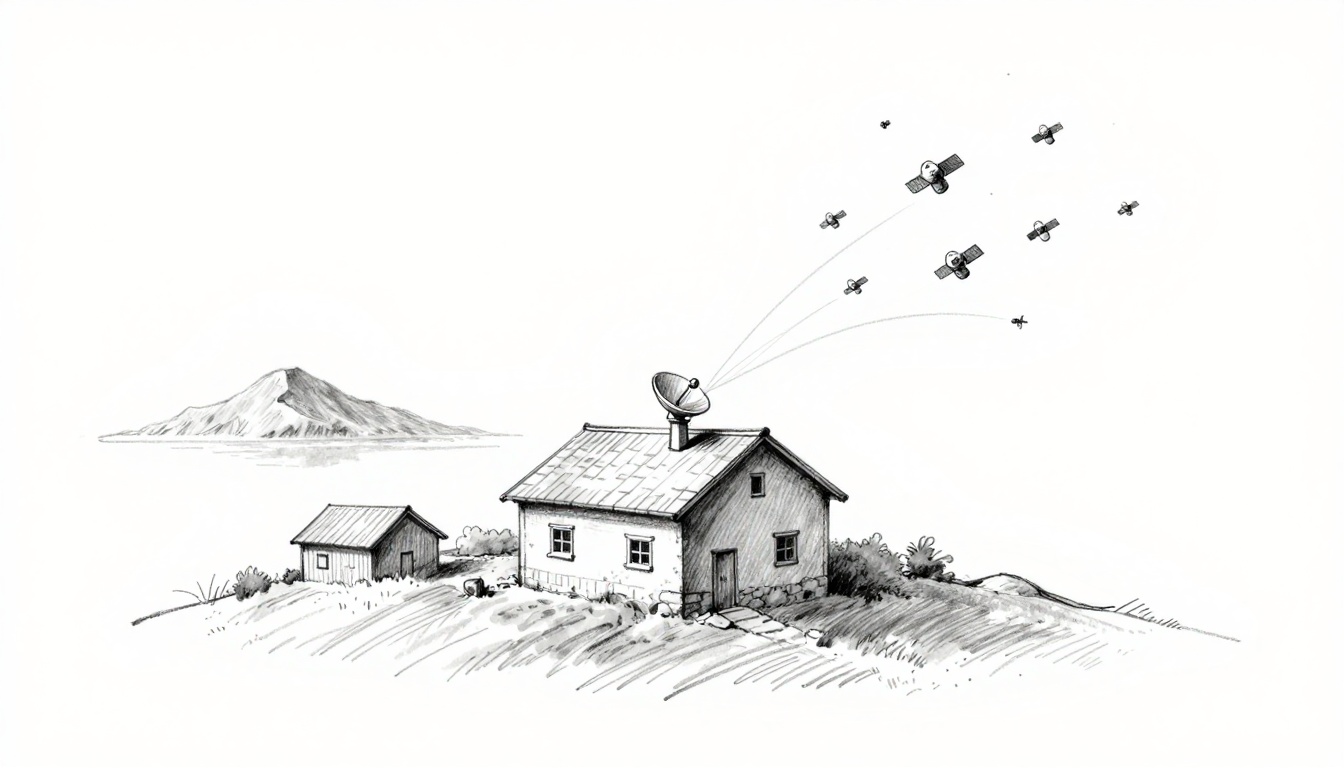
If you live on a remote farm, a mountain cabin, or an island, you know the feeling: your cell signal drops when you need it most. Sometimes you don’t get any usable internet at all, so work emails stall and school uploads fail. That’s where satellite internet in remote areas matters.
In recent years, providers have moved beyond slow, far-away satellites. Low-Earth orbit (LEO) systems can send faster connections because the satellites sit much closer to Earth. As a result, latency drops and service becomes more dependable, even where cables and cell towers can’t reach.
Today, you’ve got real options too. As of March 2026, Starlink is fully running for remote users, OneWeb serves tougher spots on a smaller scale, and Amazon Leo (formerly Kuiper) is still in limited testing but growing. Each one uses satellites differently, but they all aim to bring broadband to places wired networks miss.
Next, you’ll see how satellite links work step by step, from the dish on your property to the network in space.
How Satellite Internet Works to Connect Isolated Spots
Satellite internet doesn’t “magic” signals into place. Instead, it uses a clear line of sight, a network of satellites, and a handful of ground hubs. Think of it like tossing a ball to a friend who’s up in the air, then having them pass it to the next person.
When you set up service in a remote spot, your home becomes one endpoint in a larger relay system. From there, your data takes a repeatable trip: up to space, across to a gateway, then back down to your router.
The Simple Setup You Need at Home
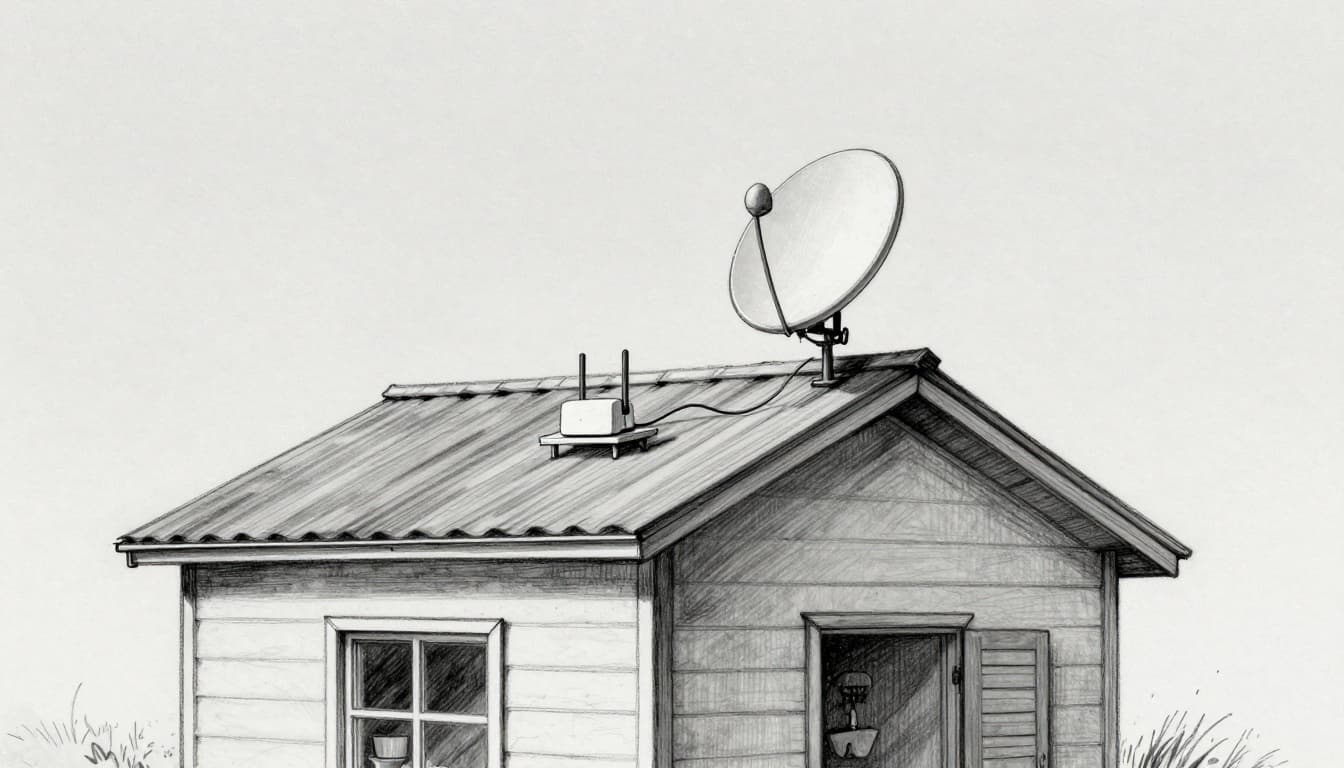
Most setups feel surprisingly close to mounting a TV satellite dish. You get a small dish (sometimes called a terminal), a cable, and a router. Because LEO systems use modern tracking, the dish focuses on finding the sky view more than you manually chasing a satellite.
Start with a location that has a clear view of the open sky. Roofs, poles, and exterior walls often work well. Next, you mount the dish, then point it upward so it can “see” satellites as they pass overhead. Finally, you connect the cable to power and the router, and you’re online.
In many places, the whole job takes a few hours, not days. You do not need trenching, long cable runs, or digging up a yard. If you can mount hardware and plug in a router, you can handle the basics.
Smaller, cheaper dishes help too. As companies improve designs, the terminal gets easier to place and more forgiving about minor site limits. Also, many systems include guidance through an app, so you can check for obstructions before you fully lock everything in.
Here’s what you can expect in plain terms:
- Dish does the sky work: It sends and receives radio signals to satellites.
- Router runs your Wi-Fi: It spreads the internet inside your home.
- Obstructions matter: Trees and tall buildings can break the link.
- Tracking helps: LEO satellites move fast, so your dish must stay locked on them.
If you want a solid reference on typical setup practices, see HighSpeedInternet.com’s explainer on how Starlink works.
Step-by-Step: Your Data’s Trip to the Satellite and Back
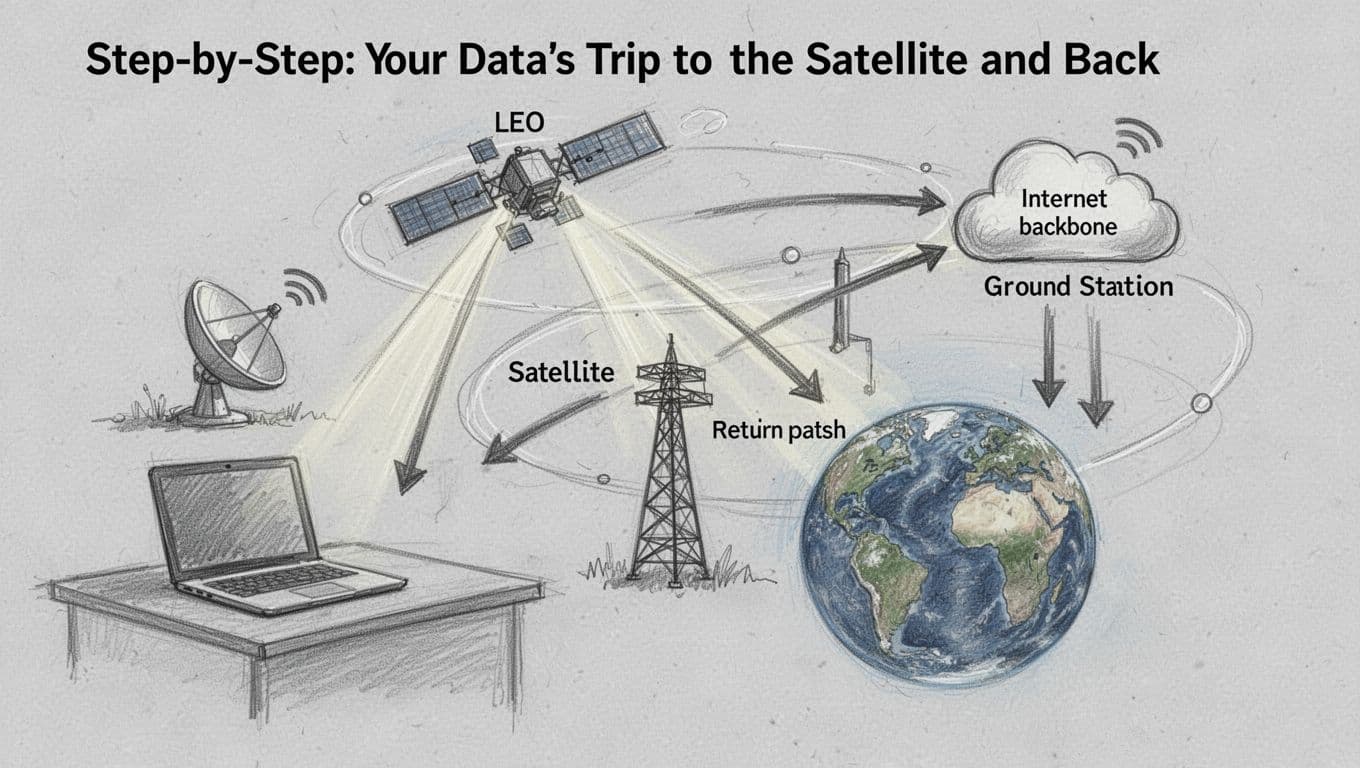
Now let’s follow your data like it’s taking a scenic bus ride. First, your device sends a request through your home router. Your router then hands that request to the satellite dish, which converts it into a radio signal.
Next comes the “upward toss.” The dish aims at a nearby LEO satellite, then sends the signal. LEO satellites sit a few hundred miles up, roughly 300 to 550 km. Because they’re closer than older high-orbit systems, the trip takes less time.
After that, the satellite moves the data toward a network connection point. Some systems also route between satellites, depending on coverage and routing. Then, the signal reaches a ground station, sometimes called a gateway. From there, it enters the broader internet infrastructure, where it can reach web servers, cloud services, and streaming platforms.
Finally, the return trip happens the same way, just in reverse. The internet backbone sends the response to the ground station. The gateway forwards it up to the satellite. The dish receives it, and your router delivers it to your device.
This forward-and-back route matters because it shapes what you feel as a user. With LEO, the round-trip delay is usually lower than older geostationary setups. That’s one reason video calls and online games can feel more responsive, even in remote locations.
A good mental picture is bouncing a ball among friends. Your dish is one friend on the ground, the satellite is the friend flying by, and the ground station is the friend who passes the ball to the wider group. LEO works best when there are enough satellites overhead, so the “pass” keeps happening without long waits.
For more background on the signal path and why LEO latency improves, check how Starlink works from Earth SIMs.
Why Thousands of LEO Satellites Beat Old-School Ones
Older satellite internet often used geostationary satellites. Those satellites stay fixed over one spot high above Earth. That convenience comes with a long travel time, because the signal has to go much farther.
LEO systems flip that math by using massive constellations. Instead of one far-away bird, you get many satellites spread across orbital paths. As a result, your dish can connect to different satellites as they pass overhead.
This is where the “thousands of satellites” idea pays off. With more satellites in motion, the network can offer more constant coverage. That means fewer long gaps where your dish loses the satellite link. It also helps keep latency lower, since the signal travel time is shorter at LEO altitudes.
Speed and responsiveness improve for another reason, too. When fewer users share the same satellite beam, the network can stay steadier during busy hours. In remote areas, that often helps, because the service does not face the same density pressure as urban neighborhoods.
Some providers also use hybrid setups. In plain terms, they blend satellite links with terrestrial internet. A hybrid design can route traffic through ground networks when it makes sense. It can also help with performance during certain times and weather patterns.
Here’s what tends to be true across many LEO deployments:
- Coverage stays active because satellites keep passing by your area.
- Latency stays lower because distances are shorter than older systems.
- Routing adapts by using gateways and other network paths.
- Hybrid can smooth performance by pairing satellite and ground routes.
If you want a quick, simple overview of the big-picture architecture, this guide to Starlink technology explains the core parts and how the link stays connected while satellites move.
Top Providers Powering Remote Internet in 2026
In 2026, remote internet feels less like a gamble and more like choosing the right tool. Different LEO networks target different needs, like home life, business uptime, or lower entry costs. So before you buy hardware, it helps to match each provider to the way you actually use the internet.
Below are the three biggest names shaping remote connectivity right now, with the practical details you care about: speed, latency, pricing signals, and where each one fits best.
Starlink: The Go-To Choice for Homes and Wanderers
Starlink, powered by SpaceX, leads the pack for many rural households and travelers. In March 2026, reported performance sits roughly in the 100 to 300 Mbps range, with typical latency around 20 to 40 ms. That combination works for daily tasks like video calls, school uploads, and streaming, even if you live far from fiber lines.
What makes Starlink stand out is its broad fit. You can use it for a remote home, a cabin, a job site, and even on water. For people who bounce between locations, Starlink also has plans built for boats and roaming use, which matters when you want internet that keeps up with your schedule.
SpaceX’s pricing model is part of the appeal too, even when promotions change. In the US, many customers budget around $110 per month plus about $599 for the hardware kit. When you compare that to years of slow satellite options, it can feel like swapping an old radio for a modern phone plan.
Starlink also earns trust during emergencies. When landlines fail, you still need something for basic communication and routing critical updates. Remote crews and rural first-response groups have increasingly treated satellite links as a backup that turns chaos into a plan.
If you want a quick technical refresher on how Starlink’s system connects moving satellites to a ground terminal, see how Starlink internet works.
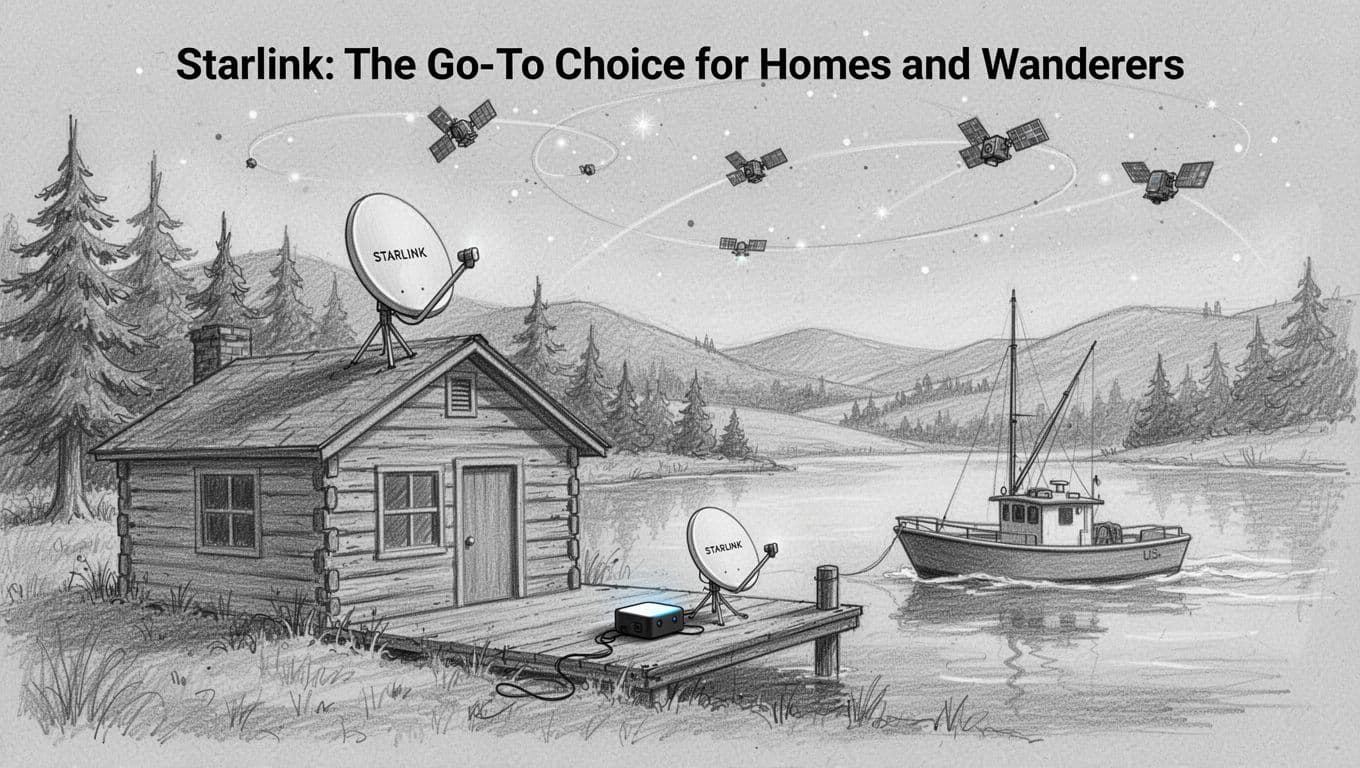
Here’s who Starlink helps most in real life:
- Rural US homes that need a dependable Wi-Fi replacement
- Cabins and off-grid setups where line-of-sight matters
- Travelers and RVers who want roaming options
- Boats and maritime crews that need connectivity while moving
- Emergency planners who want quick setup under pressure
One more practical note: LEO works best with a clear view of the sky. Trees, tall buildings, and heavy storm conditions can reduce performance. Still, compared to older satellite systems, Starlink’s network design tends to feel more responsive day to day.
OneWeb: Built for Business in Tough Spots
OneWeb takes a different approach. Instead of focusing on mass-market home service, it leans hard into business and government use. In March 2026, the target customer looks less like a single household and more like a company that needs reliable backhaul, remote operations, or connectivity in areas with weak terrestrial coverage.
Latency for OneWeb typically lands around 50 to 70 ms. Speeds are strong for many enterprise workflows, and the network uses Ku-band capacity aimed at high throughput. The important part, though, is that OneWeb is positioned for workloads where consistency and provider support matter as much as raw download numbers.
In practical terms, OneWeb can support remote work that depends on stable connections. Think of field teams sending logs, remote sites handling video check-ins, and operations centers maintaining control links. It’s also a fit for IoT-style traffic, where your system sends small bursts rather than constant video.
Where OneWeb shows up regularly is in partner ecosystems. Many customers route OneWeb through resellers and enterprise contracts, so the “price you see” can differ based on your account setup. For March 2026, public data points often place service costs around $1,000 to $1,500 per month, depending on the arrangement. That’s a big reason OneWeb does not feel like a casual household upgrade.
You’ll also notice how OneWeb’s footprint and rollout often follow enterprise timelines. The constellation design has multiple orbital planes, so it supports higher latitude coverage well, which helps in places like remote regions of Alaska.
As for expansion to homes in 2025, the big takeaway is this: OneWeb discussions and pilots have moved toward broader use cases, but the provider still operates with a business-first mindset. When people do get service, they usually do it through enterprise pathways rather than a simple “sign up and install” consumer experience.
So, if you’re comparing providers and wondering, “Who is OneWeb really for?” The clean answer is:
OneWeb is built for customers who pay for reliability, support, and contract-based deployment.
If your plan is to equip a remote ranch or a cabin for everyday internet, Starlink tends to match that lifestyle better. However, if you run a business with field sites, you may find OneWeb’s enterprise posture fits how you buy technology.
Project Kuiper: Amazon’s Affordable Challenger
Amazon’s Project Kuiper, now commonly referred to as Amazon LEO, has been working toward a real alternative to Starlink for rural customers. In 2024, the program logged meaningful progress with early launches, and momentum kept building through 2025. By early 2026, service moved beyond testing in key areas, with the expectation of broader US availability soon after.
For March 2026, published customer-facing stats like exact monthly pricing and hardware costs are not as standardized as Starlink’s. Still, early performance testing gives a sense of what the network is aiming for. Downlink tests have reached impressive figures, and one terminal design target is lower cost compared to older satellite hardware.
Kuiper’s growth since 2024 has focused on scaling capacity. As satellites reached orbit and the constellation expanded, the goal stayed consistent: bring LEO broadband to rural areas without making customers pay “premium only” pricing. Amazon’s messaging also points toward a smaller, more affordable terminal approach. The goal is simple, even if the engineering is hard: reduce the upfront barrier for remote households and businesses.
Speed potential has looked strong in early testing, with downlink up to about 1.8 Gbps and uplink toward hundreds of Mbps, depending on system conditions and terminal constraints. Latency targets also track LEO expectations, so you should expect a clear improvement over older geostationary satellite service.
Because pricing details vary as service ramps, it helps to think of Kuiper as the lower-cost challenger to watch, not the guaranteed “best option for everyone” today. If Amazon keeps bringing down terminal and plan costs while expanding coverage, it could change what many rural families pay.
To help you compare these providers quickly, here’s a practical snapshot based on the March 2026 stats and known rollout focus:
| Provider (LEO) | Typical March 2026 speed range | Typical latency | Pricing signal (US) | Best fit |
|---|---|---|---|---|
| Starlink (SpaceX) | ~100 to 300 Mbps | ~20 to 40 ms | ~$110/month plus ~$599 hardware | Homes, cabins, roaming (boats/emergencies) |
| OneWeb | Strong enterprise capacity | ~50 to 70 ms | Often ~$1,000 to $1,500/month via partners | Businesses, governments, contracts |
| Amazon Kuiper | Early ramp performance | Targeted low latency | Not fully public/standard yet | Rural alternatives as costs drop |
If you want a broader comparison of how Starlink and Kuiper stack up in 2026, you can also use Starlink vs Project Kuiper comparison features. Just remember, early deployments can look different from final, nationwide service.
In short, Starlink is the reliable default for many remote households. OneWeb is the enterprise-first option for tough deployments. Kuiper is the affordable challenger that could matter a lot once pricing and coverage lock in for more rural areas.
Big Wins and Real Hurdles of Satellite Internet in Remote Places
Satellite internet in remote areas now feels less like a last resort and more like a real utility. With LEO systems, the main win is simple: your dish talks to satellites much closer to Earth, so service can feel more responsive than older satellite options.
Still, it comes with real-world limits. If you want to avoid frustration, you need to know both the perks and the bottlenecks before you buy.

Game-Changing Perks That Make Life Easier
The best part of satellite internet is coverage. When there’s no fiber, no cable, and unreliable cell service, LEO can still reach you, as long as your site has a workable view of the sky. That matters on farms, in desert towns, and on islands where terrestrial networks simply do not show up.
Setup is another big win. Most modern LEO installs focus on fast placement and self-install basics. You mount the terminal, aim toward the sky, plug in, and get online. No trenching. No waiting weeks for a new line. For many households, that means you can go from “we have nothing” to “we’re streaming” in the same day.
Then there’s the everyday performance that changes routines. Many users get download speeds that feel more like home internet than “one video file at a time.” In practical terms, that supports:
- Streaming and binge-worthy video calls for school, work, and family
- Upload-heavy tasks like sending files, photos, and backups
- Better responsiveness for real-time use, especially compared to older geostationary service
Importantly, LEO often competes better than you might think on total cost. Fiber might be cheap monthly, but long installs can drive up costs when you are far from the road. In the US, it’s not uncommon to see fiber install costs that dwarf satellite hardware for isolated homes, especially where trenching and poles get expensive.
If you want a clear comparison of what satellite can do versus older DSL options in rural areas, see Satellite Internet vs DSL: Which is Better?.
And finally, uptime matters more than marketing. With thousands of satellites, LEO networks can shift connections as satellites move overhead. In plain language, you get fewer “dead spots” during the day.
Honest Challenges and Smart Fixes
Now for the hurdles, because they show up fast when you guess about installation. The biggest requirement is line-of-sight to the sky. Trees, buildings, chimneys, and even dense brush can block the signal path. When that happens, your connection can drop or slow.
Weather adds a second layer. Heavy rain can cause temporary signal loss (often called rain fade). Snow and ice matter too, mainly because the dish needs to stay clear and stable in winter conditions.
Here’s the part that helps: most problems have fixable causes. Think of it like parking a car. You can’t fix a flat by wishing. You fix it by looking for the puncture. With satellite internet, the “puncture” is usually the site.
Use these smart fixes before you lock in your plan:
- Reposition the dish higher and clearer: roofline, mounting pole, or a location with fewer obstacles.
- Run a site check with the provider app: it shows whether your view is good enough.
- Use weather-ready mounting hardware: sturdy brackets, correct cable routing, and sealed entry points.
- Plan for power outages: a small backup battery or generator keeps service alive.
- Expect peak-time changes in crowded areas: if many neighbors connect at once, speeds can dip.
Sometimes cost surprises people, too. Yes, satellite can beat rural DSL on speed and reliability. However, equipment and upfront fees still matter, especially if you need multiple locations or business-grade setup.
Some sources also flag that deployment and program rules can affect who qualifies and what it takes. If you want an example of how requirements can become expensive in some cases, review Analysis suggests Starlink requirements could cost some homeowners $10K–$50K.
The bottom line is simple: LEO satellite internet can work well in remote places, but your success depends on site quality and real expectations. When you handle those early, you turn “setup anxiety” into a stable connection.
Stories from the Field: Satellite Internet Transforming Remote Lives
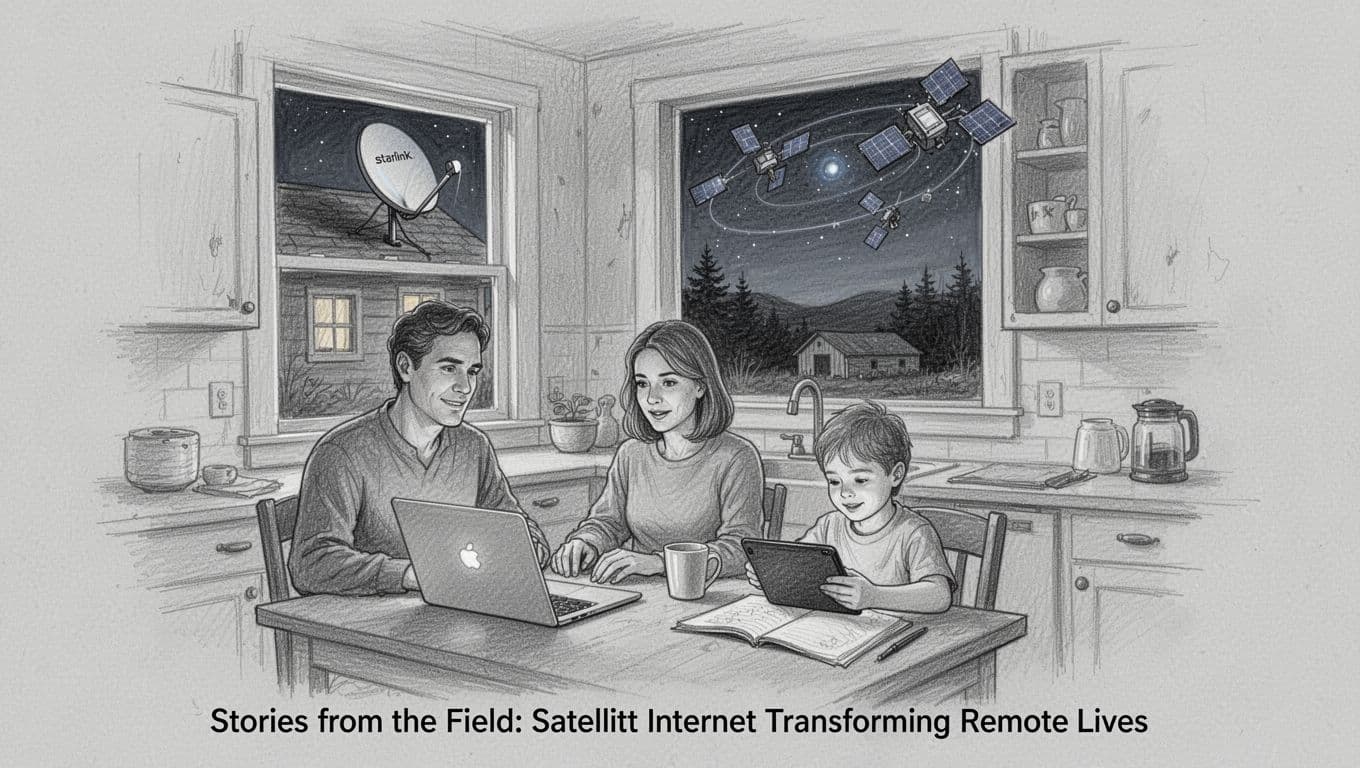
When satellite internet works, it stops being a “maybe someday” idea. It becomes a morning routine, a school deadline, and a lifeline during storms. LEO systems, in particular, feel less like a distant connection and more like a neighbor that shows up on time.
In places where fiber and cell towers struggle, people don’t talk about speeds first. They talk about what gets easier after setup.
Maine’s 8,800 Free Homes: Broadband That Finally Reaches the Woods
In rural Maine, broadband used to feel like a promise that skipped over certain roads. Then BEAD funding helped bring satellite service to homes that had no real alternative. Families got kits and support through state efforts, so access could start without everyone paying out of pocket.
For many households, the change shows up in daily moments. Kids attend online classes without constant loading. Parents join video meetings without losing audio every few minutes. Local farms also benefit, because weather alerts and market updates matter more when you have less infrastructure.
If you want one clear example of what this looks like in practice, Maine coverage highlighted how satellite internet fills gaps as the state expands access through broadband programs. See Maine expands broadband access with satellite internet.
There is also a wider ripple effect. Once one home gets a reliable connection, neighbors start sharing tips. They talk about where to mount the dish. They compare what works during snow. Soon, the “setup fear” drops, because people learn what tends to fail and how to prevent it.
Hawaii’s Lava Zones: Internet When Roads and Cables Can’t Hold
Hawaii takes a different kind of challenge. Lava zones and rough terrain can make traditional broadband hard to build. When the ground shifts, the idea of trenching can feel unrealistic.
On Kaua’i, state and county partners launched a program to bring public Wi-Fi to areas that often land in dead zones. The goal stays simple: give residents and visitors a safer, steadier connection in remote spots. You can read the official announcement for background on the Kaua’i HI-WiFi Starlink program.
In everyday terms, this can mean several things at once:
- A parent checks a message after a long drive through remote areas.
- Visitors use online maps when cell coverage drops.
- Staff in parks and community spaces can handle simple web tasks during busy hours.
Even better, public Wi-Fi is not just convenience. It can support safety when people get separated from cell coverage. After all, nobody plans for the moment their phone loses signal.
Lava zones also teach a practical lesson about satellite internet. The dish needs a solid view of the sky. That means choosing a mounting spot that stays stable, not one that gets covered by new growth or shifts after storms. Once you get that right, service can run day after day, even when the landscape makes other options fail.
Beyond Homes: Farms, Lodges, Ships, and Disaster Teams
Remote families are only part of the story. Satellite internet now shows up wherever people live, work, or respond when wired networks fall apart.
In rural areas of the US, many farms use satellite for tasks that used to require slow connections or constant travel. They monitor fields, manage schedules, and sell products online. In disaster-prone places, people also value it because it can stay up when power lines go down.
South Africa adds another layer, where farm and lodge operators often need dependable connectivity even in the bush. Reports from 2026 describe satellite as a connectivity lifeline for farmers who want to send updates, coordinate staff, and keep operations moving. One example story covers farmers using Starlink to stay connected through real-world conditions, from planning to daily communications, in Farmers eye Starlink as a connectivity lifeline.
Meanwhile, Arctic ships and research boats depend on it for a reason that’s hard to fake. Out on open water and far from towers, satellite becomes the only practical way to send data, share maps, and keep crews in sync. In these settings, LEO can matter because it reduces waiting time compared with older satellite options.
Then there are disaster teams and hikers. During floods and wildfires, rescue groups need fast comms when local infrastructure collapses. Satellite tents and portable setups can help teams coordinate where cell networks die. Hikers in remote trail areas also use small terminals for maps and check-ins, since dead zones are the rule, not the exception.
Here’s the pattern that keeps repeating across these stories: satellite internet turns “remote” from a problem into a location. It doesn’t remove the weather or the distance. It just gives people a way to communicate, learn, sell, and respond without waiting for cables to catch up.
What’s Next: More Satellites, Lower Prices, and Hybrid Access
The field stories you see in 2026 tie directly to what comes next. Providers keep launching more satellites, so coverage gaps shrink. At the same time, competition pushes prices down, or at least brings more realistic options for new customers.
In the US, BEAD funding continues to expand broadband in hard-to-serve places. So even when satellite remains the fastest path, ground buildouts can grow nearby, which helps keep service costs under control over time.
Also, hybrid setups keep improving. Some systems pair satellite with 5G or other terrestrial links. When one path struggles, the other can carry traffic. For remote communities that still get partial cell coverage, hybrid can feel like having two escape routes, instead of one.
If you picture rural internet like a bridge network, LEO satellites act as the quick temporary spans. Then, as funding and construction grow, more permanent bridges go in. Together, they reduce the time families and businesses spend stuck with no option.
That is why these stories feel bigger than a tech upgrade. Satellite internet changes schedules, reduces stress, and helps people stay connected when distance used to win.
Conclusion
Remote internet woes shrink when you switch to modern LEO satellite networks. Providers like Starlink, OneWeb, and Amazon Leo move data between your terminal and nearby satellites, then route it through gateways on the way to the open internet. Because satellites sit closer than older systems, latency stays lower and day-to-day use feels more natural.
Still, performance depends on your site. Clear sky views help, and local weather can affect signal strength. Starlink leads with the biggest fleet, OneWeb targets business needs, and Kuiper/Leo is ramping up in 2026, so availability and plans may vary by location.
Before you order, check coverage on each provider site, compare speed and latency targets for your use, and review the install needs for your home or work site. Then share what you learn (and what worked for your setup) in the comments, so others can choose with more confidence.
Wherever you live, high-speed web no longer has to wait for fiber lines to arrive.